
Okay, so here’s something that happened to me recently. I was looking to hire someone for a project, found a few options through Google, and clicked around for maybe ten minutes total. One company’s site had a broken contact form. Like, I filled it out, hit submit, and it just… refreshed the page. Nothing. Did my message go through? Who knows. I moved on.
Another had this homepage video that autoplayed at full volume. At 9 am. While I was on a call. Not their fault, but still. Gone.
The third company had nothing flashy at all. Just a clear headline, a few sentences explaining what they do, a visible phone number, and a page that loaded fast enough that I didn’t notice it loading. I hired them. Never looked at the others again.
That’s it. That’s the whole argument for taking your website seriously. Not because of branding or digital transformation or any of that, just because people are impatient and will leave the second you give them a reason to.
Here’s What Actually Goes Wrong (And It’s Usually Not What People Think)
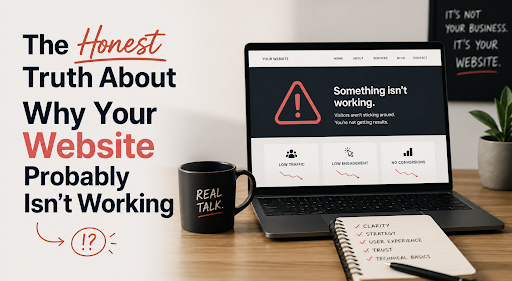
Everyone assumes the problem is design. That the site looks outdated, or the colors are wrong or whatever. Sometimes that’s true. But honestly, the stuff that kills conversions is usually more boring than that.
Things like a page that takes four seconds to load on a phone. A mobile menu that’s technically functional but annoying enough to use that people just give up. A contact page with no address, no phone number, just a form, which, for certain types of customers, feels weirdly evasive.
Or here’s a big one that almost nobody talks about: navigation with too many options. I’ve seen small business websites with eleven items in the top menu. Eleven. Nobody knows where to click, so they just don’t.
Some patterns worth looking at if your site isn’t converting the way it should:
- Mobile layout that breaks or feels cramped on smaller screens
- Forms with no confirmation message after you submit them
- Pages where it’s genuinely unclear what you’re supposed to do next
- Site speed tanks on anything slower than a strong wifi connection
- Stock photos that look familiar because everyone’s seen them before
I’m not saying any of these individually is fatal. But they add up, and they add up fast.
The Template Problem Is Real
Look, templates aren’t inherently bad. For certain things, they’re totally fine. But there’s a specific kind of frustration that comes from trying to make a templated site do something it wasn’t designed to do, and if you’ve been through a web project before, you’ve probably felt it.
The template was built for a different business. Its structure reflects assumptions that don’t apply to you. And so you spend weeks trying to make your actual workflow fit into someone else’s predetermined layout, and it never quite works right, and the developer keeps saying “that’s not really how this theme handles it.”
Custom website development solves this by starting from what your business actually needs. Not what some theme developer decided a generic business needs. Your lead flow, your service structure, the questions your customers always ask before buying, the integrations your team actually relies on. Built around that, not around a template.
It costs more upfront. Usually worth it.
Platform Choice: Nobody Has the Right Answer for You
This is where a lot of web development conversations get weird. People get tribal about platforms. WordPress people hate Shopify people. Everyone has opinions.
Here’s what I actually think matters when choosing:
- Who updates the site after launch?
If it’s your marketing person who’s not technical, you need something with a decent CMS that doesn’t require a developer for basic edits. If it’s always going to be a dev, this matters less
- What does the site need to do in two years, not today?
Sites that work fine at current traffic can fall apart at scale. Worth thinking through before committing
- What does “support” mean from this agency?
Some hand you the keys at launch and you never hear from them again. Others stay involved. Know which one you’re signing up for
- What’s already in your tech stack?
CRM integrations, booking tools, and inventory systems affect platform choice in ways that often don’t come up until mid-project
The custom web development route usually comes into focus once you sit down and actually map out everything the site needs to do. Sometimes a platform is fine. Sometimes you’ve already outgrown platforms before you’ve even started.
SEO Is a Development Problem First
This one is genuinely underappreciated. SEO gets handed off to the marketing team and treated like a content problem. Write better blog posts, get more backlinks, optimize your meta descriptions.
But a lot of the factors that determine how well a site ranks are built into the code itself. Page load speed. Site architecture. How headings are structured in HTML. Schema markup. Whether Google’s crawlers can actually navigate the site without hitting dead ends. URL structure.
These aren’t content decisions. They get made during development, sometimes without anyone even realizing they’re SEO decisions. And fixing them after the fact is usually messy and expensive.
So if you’re going into a website development project, the question worth asking early is: does this team actually think about technical SEO during the build, or is that someone else’s problem?
A few things that should just be part of the build from the start:
- Page speed optimized as part of development, not reviewed in a post-launch audit
- URL structure that makes logical sense and reflects your content hierarchy
- Images are compressed and properly formatted before they ever go live
- Internal linking that actually helps visitors and crawlers navigate the site
Getting this right from the beginning is almost always cheaper than fixing it later.
The Mobile Thing
I keep going back and forth on how much to belabor this because it feels obvious, but apparently isn’t, given how many sites still handle mobile badly.
Most of your visitors are on phones. Not some of them. Most. For a lot of industries, the number is somewhere between 60 and 75 percent of total traffic. So when your site is designed on a desktop and then “made responsive” at the end, you can usually feel it. Buttons in slightly wrong places. Text that’s technically the right size but feels wrong. Layouts that work but feel like they’re tolerating you rather than being designed for you.
Mobile-first development means you build for the small screen first and then expand. Different mindset, different result.
What to Actually Look for When Hiring a Web Development Company
Honestly, the technical skills are sort of table stakes at this point. What separates good agencies from frustrating ones is usually everything around the technical work.
Do they ask questions about your business before jumping to solutions? Can they explain a technical decision in plain English when you ask? Do they give you access to your own accounts and deliverables, or do they hold things over you? Is there post-launch support, and what does that actually mean in practice?
The building part is one thing. The relationship part is what determines whether the project is painful or not.
BinaryMetrix works with businesses across the US, Canada, and Europe on exactly this kind of full-cycle website development service work, from initial architecture decisions through launch and whatever comes after. Worth a conversation if you’re thinking through a build.
One Last Thing
Websites need attention after they go live. Not constant attention, but some. Performance monitoring. Security patches. Content that stays current. Testing how the site renders when a new device category comes out.
The businesses I’ve seen get long-term value from their websites are the ones that treat them as something that requires occasional maintenance, not a project that ends at launch. It’s not a big lift. It’s just a different way of thinking about what a website actually is.
Read Also: 5 Best WhatsApp Affiliate Programs in 2026